This article explains how to connect your AKIVERSE account with a wallet. AKIVERSE utilizes a Web3 wallet called Metamask. If you haven't installed Metamask yet, please refer to this Metamask support article to complete the installation.
※For detailed Metamask support, please refer to their support page.
|
Quick Access: Log in to AKIVERSE. > Select "Connect to Metamask". > Connect your wallet. |
Step 1:
While logged in to AKIVERSE, select "Connect to Metamask" located at the top of the screen.
Step 2:
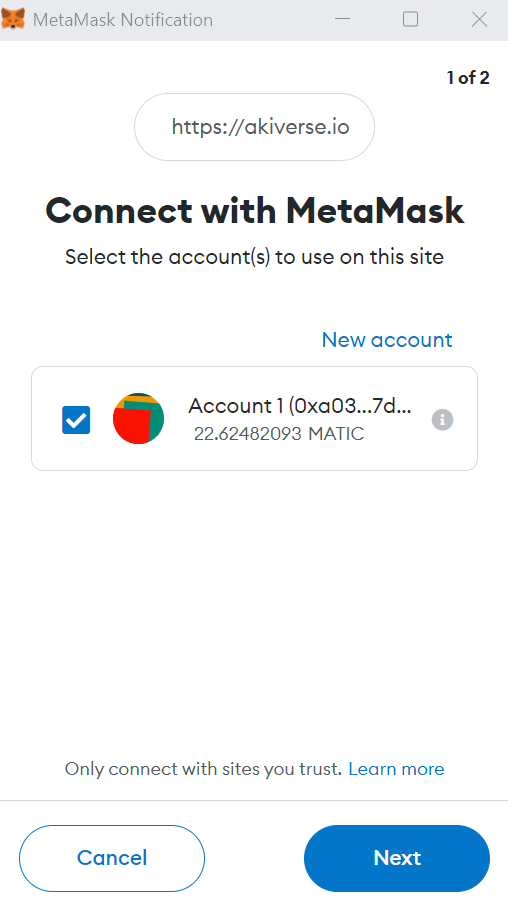
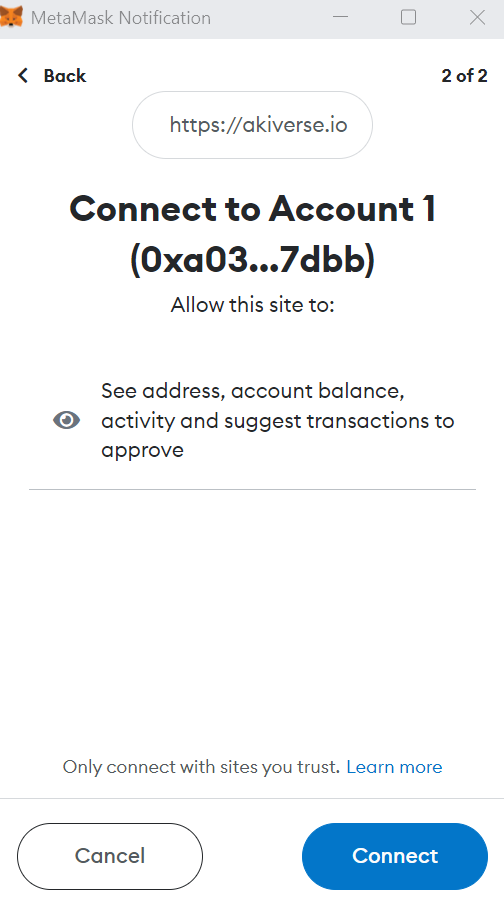
In the popup screen that appears, choose the wallet you want to connect and select "Next". On the next screen, select "Connect".
Step 3:
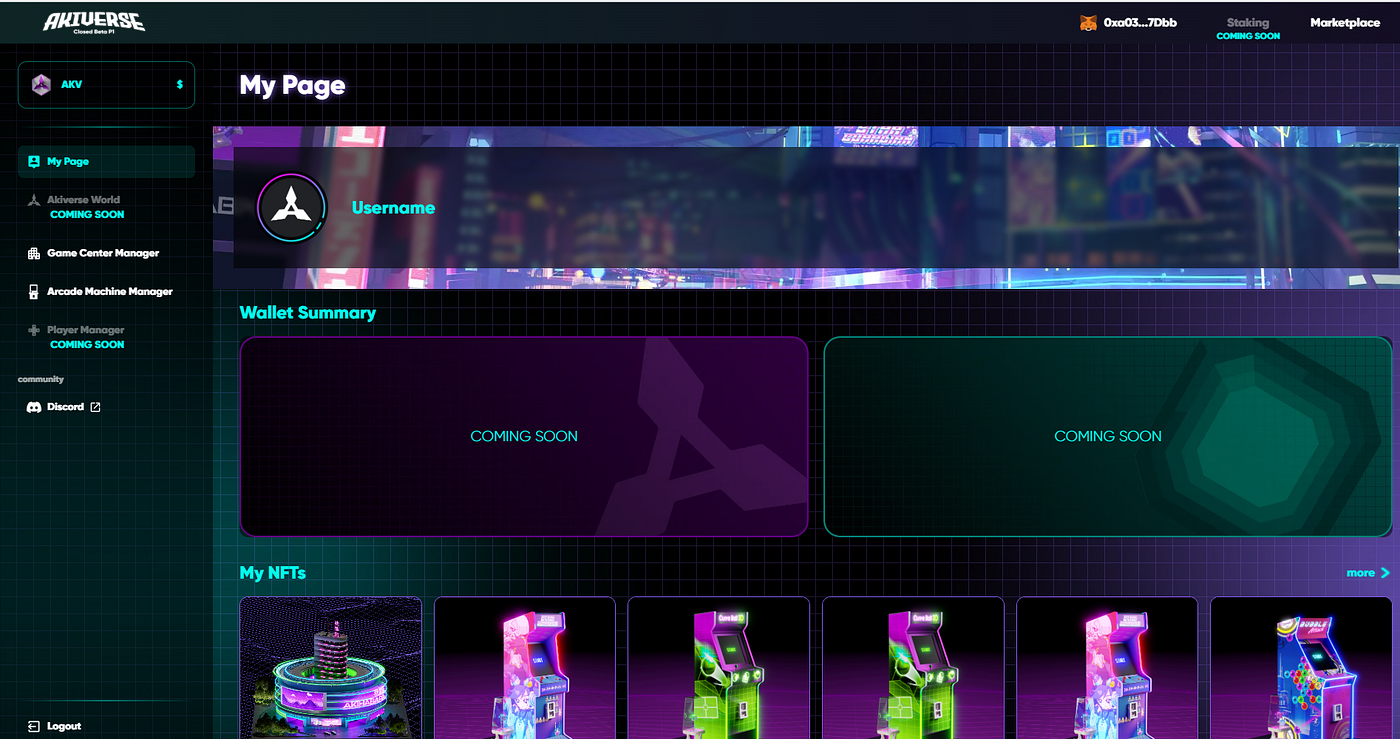
Once the connection is successful, the connected wallet address will be displayed at the top of the screen. That indicates the process is complete.